

Social Media Pixel Tracking: Everything You Need to Know
If you run a business or manage digital marketing campaigns, you’ve probably heard the term “social media pixel tracking” thrown around. But what exactly is a tracking pixel, and why is it so important for social media marketing? So, let’s understand how this tiny piece of code works, why it matters, and how you can use it to get a complete picture of your audience without crossing the line.

What Is a Tracking Pixel?
A tracking pixel (sometimes called a marketing pixel) is a tiny, 1×1 pixel graphic embedded into a web page or email. It’s usually a transparent or invisible image that you can’t see with the naked eye. But this little dot is powerful.
When a user visits your website or opens an email, their browser loads this image from a pixel server. This action sends a signal back to the server, logging that a specific action took place. This allows you to collect data about how users interact with your content.
In the early days, this was just about counting hits. But today? Pixel tracking methods have evolved into sophisticated tools that help marketers understand the entire customer journey.
How Does Pixel Tracking Work?
Here’s the breakdown: When a user lands on your site, the HTML code tells the user’s browser to load the pixel. Since the pixel is stored on a server (like Facebook’s or Google’s), the browser has to request it. During this request, the pixel records specific information, such as:
- The user’s IP address
- The operating system they are using
- The type of browser or mobile device
- The client’s screen resolution time
- The time they visited the site
- Activities performed during the session

This pixel data helps you build a profile of your visitors. By using multiple tracking pixels across different pages, you can see if someone viewed a product, added it to their cart, or completed a purchase.
Why Use Social Media Pixels in Digital Marketing?
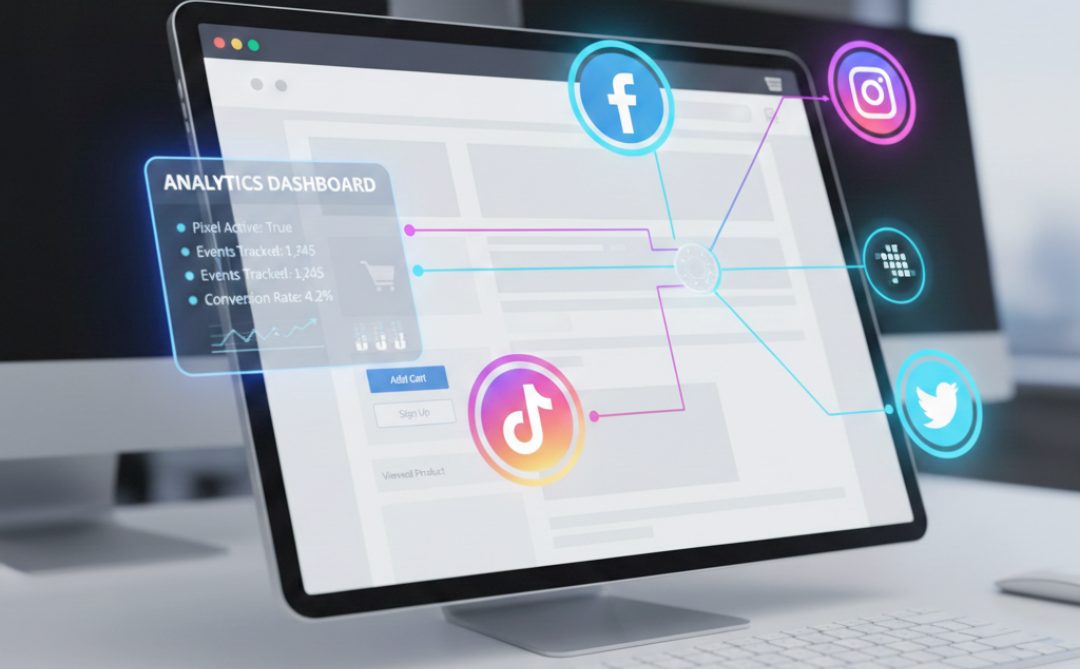
Social media pixels bridge the gap between your social ads and your website activity.
For example, the Facebook Pixel is a snippet of pixel code that you place on your website. It tracks conversions from Facebook ads, optimizes ads, builds targeted audiences, and remarkets to people who have already taken some kind of action on your website.
Without pixel deployment, you might know that people clicked your ad, but you won’t know if they actually bought anything. That leads to incomplete data, wrong budgeting techniques, and a lot of guessing.
1. Accurate Conversion Tracking
Conversion pixels tell you exactly which ad led to a sale or a sign-up. This helps you understand your ROI (Return on Investment) down to the penny.
2. Retargeting & Custom Audiences
By placing a pixel on your site, you can create custom audiences based on specific actions. Did someone abandon their cart? You can show them an ad reminding them to complete their purchase.
3. Optimize Audience Targeting
As the pixel gathers more data about who converts on your site, platforms like Facebook and LinkedIn can optimize audience targeting to find more people just like your best customers.
Google Analytics & HTML Code
To get this working, you typically insert a snippet of HTML code or JavaScript into your website’s header. Tools like Google Tag Manager make this easier by allowing you to manage all your tags (including the Facebook pixel and third-party tracking pixels) in one place without needing to constantly edit your site’s code.
When integrated correctly, you get a view of how social media traffic behaves compared to organic search traffic. Do Facebook users bounce faster? Do LinkedIn users spend more money? Analytics pixels give you the answers.

Email Tracking Pixels
Email tracking pixels are widely used in email marketing. When you send a newsletter, a transparent image is embedded in the email body.
When the recipient opens the email, their mail client has to load remote content (the pixel). This tells you:
- If the email was opened
- How many times has it been opened
- The device used
- The location of the user
However, many email providers now block images by default or ask users if they want to download pictures automatically. This can skew your open rates, making data accuracy a challenge. Plus, with new privacy features like Apple’s Mail Privacy Protection, tracking pixel work in emails has become less reliable.
Best Practices for Pixel Deployment
So, how do you use pixels effectively while staying compliant and efficient? Here are some best practices.
1. Audit Your Pixel Code Regularly
Don’t just install a pixel and forget it. Use tools like the Facebook Pixel Helper or Google Tag Manager’s preview mode to ensure your pixels are firing correctly. Broken pixels lead to missed conversion tracking opportunities.
2. Prioritize First-Party Data
With the decline of third-party cookies, relying solely on third-party data is risky. Focus on collecting first-party data directly from your users (like email lists) and use server-side tracking (like Facebook’s Conversions API) to improve data accuracy.
3. Be Transparent About Data Protection
Update your privacy policy to explicitly state that you use tracking pixels and cookies to analyze user behavior and gather data. If you have users in Europe, you absolutely must comply with data privacy laws like GDPR. This usually involves a cookie consent banner that blocks pixels from firing until the user agrees.
4. Don’t Overload Your Site
Adding too many marketing pixel scripts can slow down your website. Each pixel requires the user’s browser to send a request to a server. If you have dozens of third-party tracking pixels trying to load remote content at once, your page speed will suffer, and users will bounce.
5. Use Conversion Pixels Wisely
Don’t just track page views. Set up event tracking to monitor specific actions. Did they watch a video? Did they scroll 50% down the page? Did they click the “Contact Us” button? These specific user interactions provide a much more complete picture of campaign performance than simple page visits.
Frequently Asked Questions
Is Pixel Tracking Illegal?
Pixel tracking itself isn’t illegal, but how you use it matters. Digital Engage in Johnson City, TN, ensures pixels respect privacy laws like GDPR and CCPA. Always get user consent for cookies or tracking, and be transparent about data collection to stay compliant and build trust.
What Is Pixels Tracking?
Pixel tracking is a method to monitor user activity on your website or emails. Digital Engage in Johnson City, TN uses these tiny, invisible images to see how visitors interact with content—like clicks, page views, or purchases—helping us optimize campaigns without intrusive data collection.
What Is A Social Media Pixel?
A social media pixel is a snippet of code you place on your website to track interactions from platforms like Facebook or LinkedIn. We use it to measure conversions, retarget visitors, and refine ads, giving a clearer picture of who engages with your social campaigns.
What Pixel Size For Social Media?
Social media pixels are tiny: just 1×1 pixels, so they remain invisible on your website. These micro-sized tracking pixels are used to monitor user actions discreetly, gather meaningful insights, and improve marketing campaigns without affecting the user experience or website design.
What Are The Risks Of Pixel Tracking?
Pixel tracking can slow down your site, misreport data, or raise privacy concerns if misused. You can manage these risks by auditing pixels regularly, using first-party data, and being transparent with users.
Final Thoughts
Pixel tracking is undeniably powerful. It helps businesses spend money more efficiently, helps users see ads that are actually relevant to them, and provides the data needed to improve marketing campaigns.
But great power comes with great responsibility. The days of unrestricted, invisible tracking are fading. To succeed in 2026 and beyond, you need to balance your need to track conversions and monitor user behavior with a genuine respect for user privacy.
The internet moves fast. Make sure your tracking strategy can keep up!
But great power comes with great responsibility. The days of unrestricted, invisible tracking are fading. To succeed in 2026 and beyond, you need to balance your need to track conversions and monitor user behavior with a genuine respect for user privacy.
The internet moves fast. Make sure your tracking strategy can keep up!
Social Media Marketing with Digital Engage
If you’ve read this far, you already know how powerful pixel tracking can be. But tracking pixels is only half the battle. That’s where Digital Engage comes in for Social Media Marketing.
We use pixels, conversion data, and first-party insights to understand your audience on a deep level. Who’s engaging? Who’s ready to buy? Who needs a gentle nudge to come back and finish that purchase?
Think of it this way: without proper pixel deployment and analysis, you’re flying blind. You might know someone clicked your ad, but you won’t know if it led to a sale, a newsletter signup, or a return visit. So, contact us now!